Building a Knowledge Base for AI Agents
I saw a post on X recently from Andrej Karpathy about building a knowledge base, and taking advantage of modern frontier LLM’s to create specialized local knowledge troves that could be used to understand and synthesize large quantities of information.
In a sense, think of Wikipedia, but instead of having to manually maintain such a wiki, you instead have AI agents do the maintenance, and you as the human are only responsible for curating the initial set of documents and information that you want to be included in the knowledge base.
I thought this was a really interesting idea, and I decided to try it out for myself.
Motivation
Recently, my sister has been advancing a lot in her violin playing, and she’s been asked to take on more responsibilities not just for her school orchestra, but also for other events. Her classes are $120 an hour, and thus there is immense expectations for her to improve her playing due to this cost.
I wanted to do research into how to potentially build an AI agent violin consultant system that could take in audio recording of her playing and give specialized / targeted feedback to her. This would improve practice efficiency for my sister.
The problem was that I had no clue how to get started. Even though I’m a software engineer who took private piano lessons for over 10 years, I didn’t know much about translating music theory to technology like an AI agent. This was the perfect chance to build a specialized knowledge base to help me with this.
Curation
I started by curating a list of documents that I thought would be relevant to this project. These included things like Python libraries of interest, chats with Claude about the topic, and other miscellaneous resources I found online. I planned my knowledge base to only take in documents in markdown format. In order to do so, I installed the Obsidion Chrome extension, which allows you to save web pages as markdown files. Obsidian was the note taking app of choice in the original knowledge base concept by Karpathy, but I personally don’t really use these kind of notetaking apps. But through my experimentation, having the extension made downloading information much easier, which I appreciated.
In my _posts folder, I now had a collection of markdown files spanning resources from many online sources. In order to create a real wiki, I used Claude Sonnet 4.6 in Antigravity IDE to create an implementation plan. It decided to create a single page application (SPA) inside the existing wiki directory. Inside of this directory were the index.html file, a styles.css file, and a main.js file. The main.js file was responsible for reading the markdown files and rendering them on the page, as well as handling the correct page routing.
The resulting page that I ended up seeing was basic but functional. Here is what it looked like:
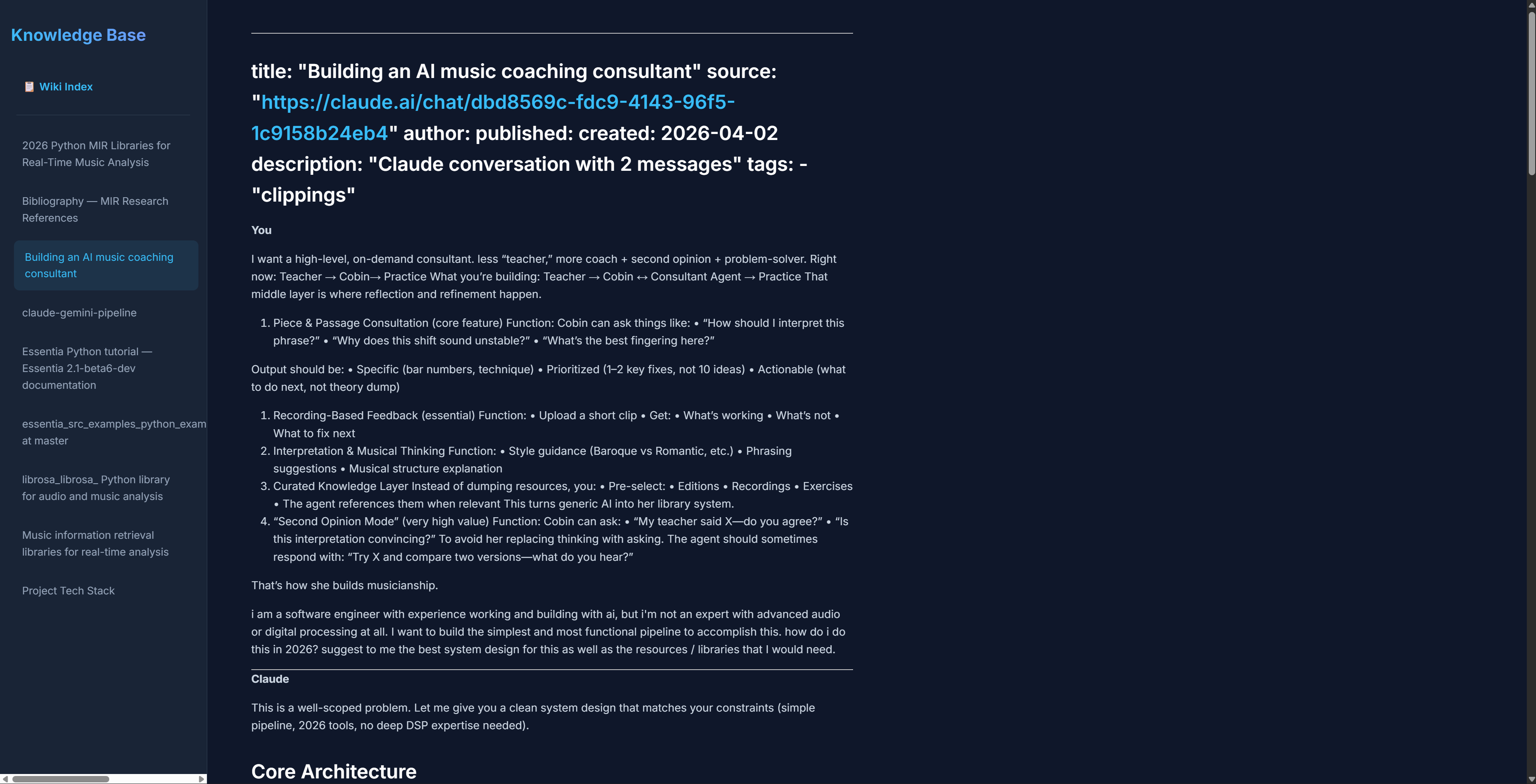
As you can see, it did have a sidebar of the pages that were available and also the actual page, with the title and the content formatted. It didn’t look completely professional, but it was a good start.
Finally, I asked Claude to create a bibliography page that would include all the links that were referenced in the markdown files. It did this successfully, and I was able to click on the links to visit the original sources.
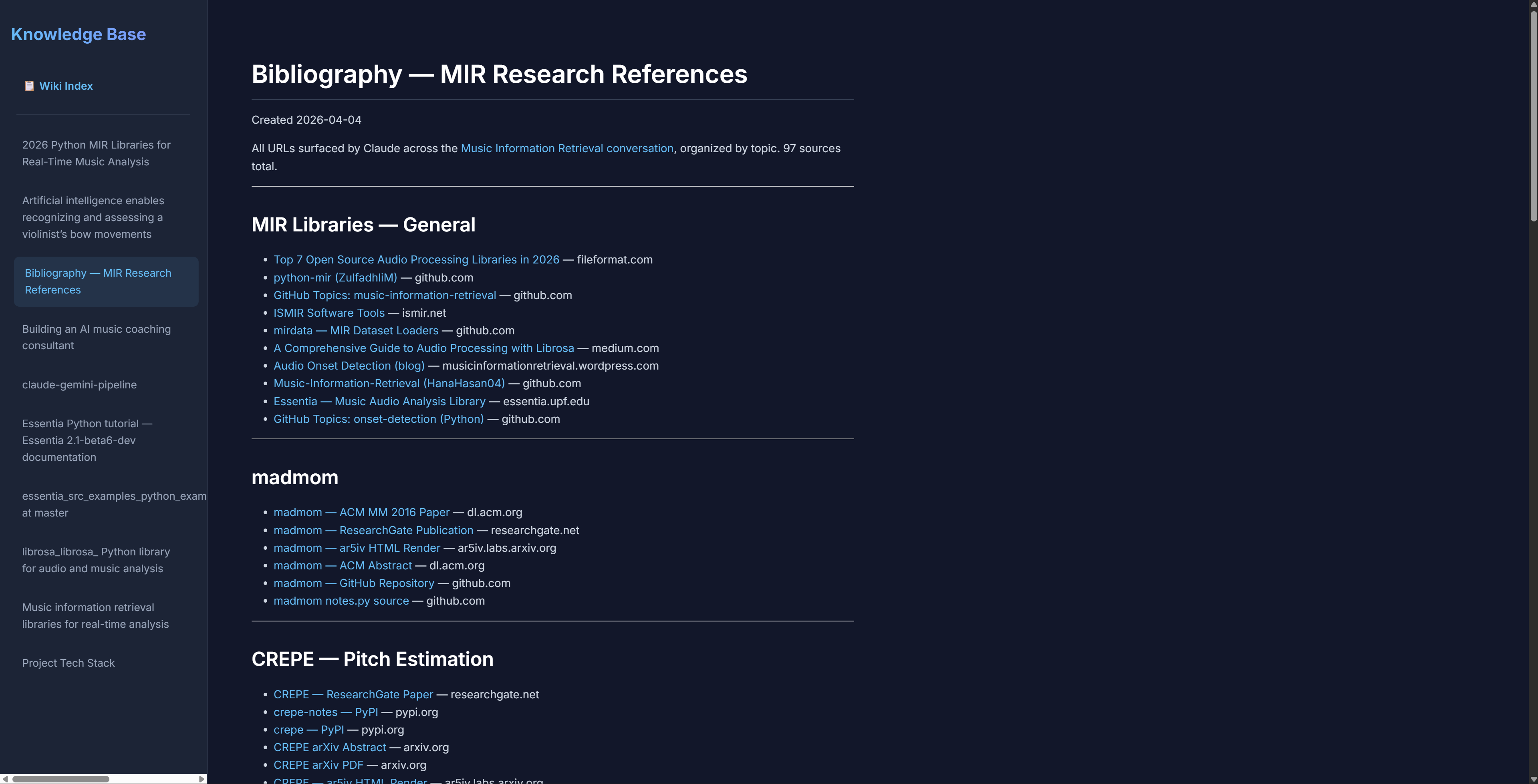
During this process, it created a json file called wiki-index.json that held the metadata for all the pages, including the links. I think this helped it greatly when it was diving deep into the knowledge base.
Problems
Here were the problems I encountered:
-
One of my resources in the markdown file had chunks of code from a Github repo page. When that was first rendered, it didn’t recognize the code blocks and displayed them as regular text. I had to explicitly tell Claude to format all code correctly in order for this to be fixed.
-
Claude surprisingly had a lot of trouble with links. It would not make links clickable unless I specifically told it to. I don’t know if other LLM’s would have this issue, but it required extra prompting to work. It also had a tendency to include links in the titles of pages, which I had to remove. It turns out that this was due to the way that the sources were being downloaded by Obsidian’s chrome extension. It was adding a yaml header to the markdown downloads, which caused the CSS to be wonky in the beginning.
After I asked Claude to fix the errors with this prompt “Could you format the title and the tables in each page correctly? I want the link to the source to be displayed nicely under the main title, followed by the author, all without quotes.”, the issues were fixed.
- Some of the formatting in other elements was also off, for example the tables:
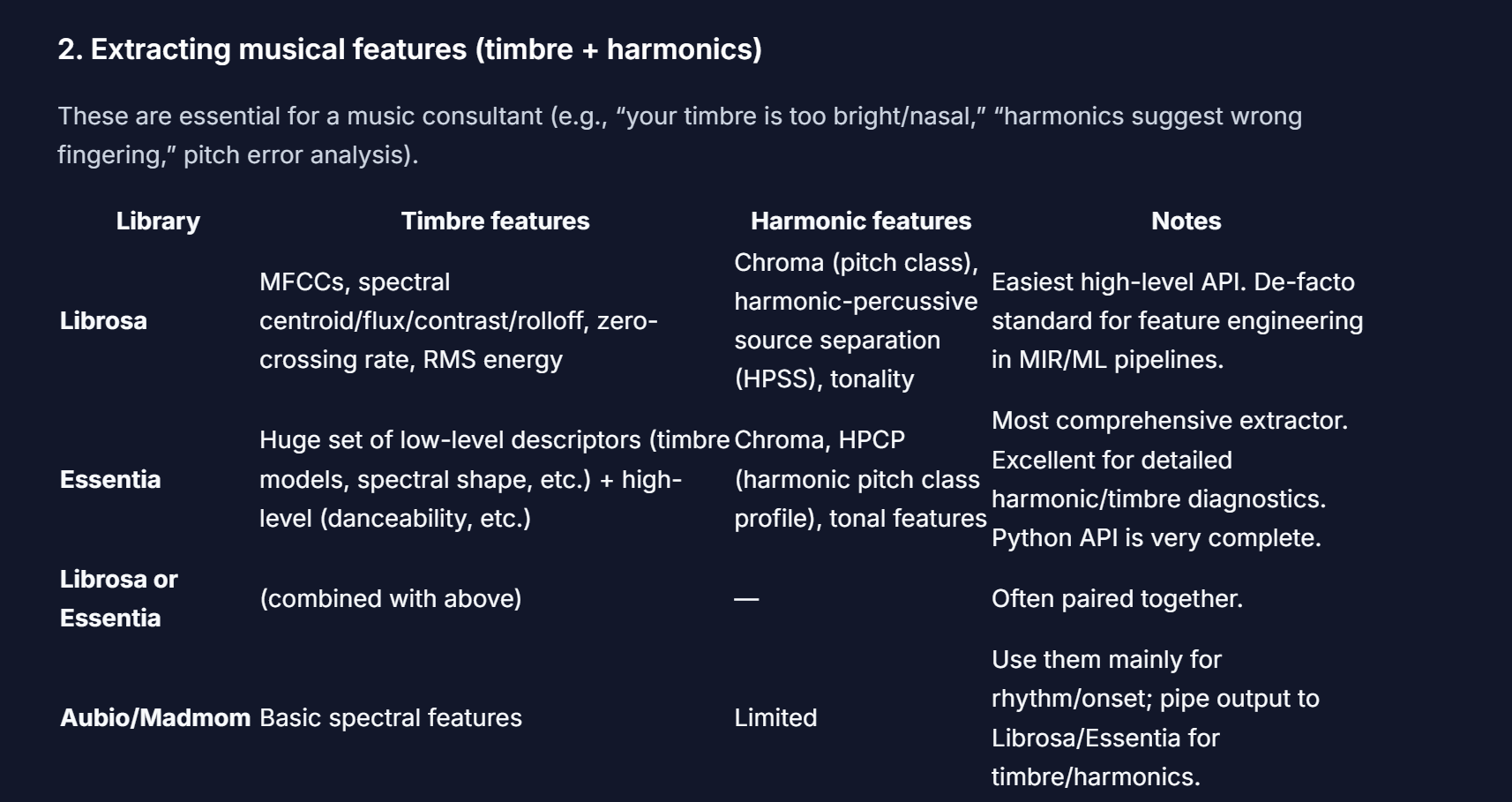
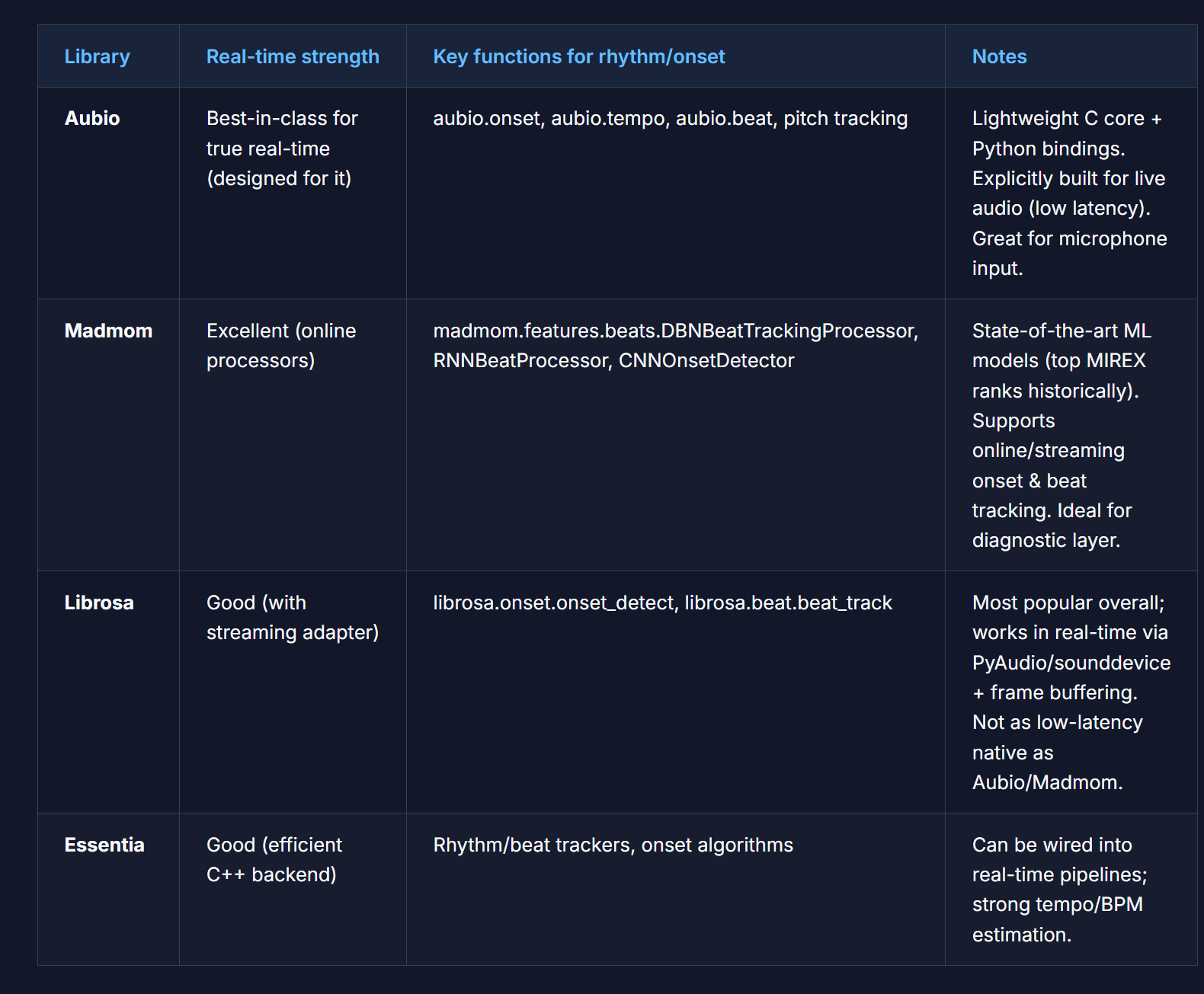
In order to fix this, I had to tell Claude to increase the padding on the columns of the tables. It actually did a very good job, and the result looked something like this:
Agent Instructions
Here were the files that I created to help Claude and other AI agents with navigating this codebase:
AGENTS.md: This file contained the instructions for Claude on how to behave and what its goals were. For this one, I took a lot of inspiration from Karpathy’s GitHub (gist)[https://gist.github.com/karpathy/442a6bf555914893e9891c11519de94f]. It describes multiple operations that can be performed (ingest, query, lint, etc.) and describes the scenarios of which they should be perform.
log.md: This log contained the history of all the operations that were performed on the knowledge base. It was a chronological record of all the changes that were made to the knowledge base, including the date and time of the operation, the type of operation, and the result of the operation.
wiki-index.json: This json file contained the metadata for all the pages in the knowledge base, including the links to the original sources. It contained information like the number of words, and additional good-to-know details like the title, link, and so forth. In a sense, it is kind of redundant since the log.md file will keep track of a lot of the same information, but I decided to keep it in there as a redundancy.
Testing
To test, I launched a query in my Antigravity IDE’s sidebar agent console to Claude. My query was “What is the ideal pipeline that i can use to build the violin agent? consult the sources in raw folder”.
Claude’s response was to do the following:
- Edit
log.mdto include the query and response in the history - Create a new file called
Ideal Pipeline - Violin Coaching Agent.mdwith the answer content - Edit
wiki-index.jsonto include the new page
Honestly, I was quite surprised that it was smart enough to create the new file, add that to my knowledge base, and then update the index. I didn’t even have to prompt it to do so! The answer content itself drew from 6 sources that I had previously curated and correctly displayed the code, along with all explanations in an easy to read format.
In addition, when I tried to hijack the system by asking Claude to “Use the wiki and answer are cats the best animal in the world?”, it refused to do so by saying that the wiki contents were not related to my query and that I would need to ingest a related source in order to get an answer! Amazing stuff here…
Conclusion
Overall, I still think that the bottleneck is that not only do you have to manually curate the downloads, but also you have to restart the developer server every time a download comes in, which is not ideal. I don’t know exactly what it would take to have something that is dynamically listening for new articles being added into the outputs folder, but that would give a much more responsive feel to the whole app.
In addition, I was testing the application by running queries in the sidebar agent console in Antigravity IDE, which feels a bit strange. If it was possible to create some kind of input area on the frontend and then get back the results without having to resort to my IDE, I think that would be a great benefit as well.
In addition, it would be better for the user to define the CSS rules for the wiki somewhere in an AGENTS.md file or similar, as I found that adding new articles into the wiki did not automatically make it adhere to the same CSS rules as the other pages!
My GitHub repo with the code is here.
What do you think? I will love to hear your thoughts!
CZ